 Slimepress
Pokemon Champions: Don't Forget To Transfer Your 3DS Pokemon
With Pokemon Champions launching in less than two weeks, don't forget- your buddies on your 3DS are welcome to join your team, too- assuming you know how to transfer them.
With Pokemon Champions launching in less than two weeks, don't forget- your buddies on your 3DS are welcome to join your team, too- assuming you know how to transfer them.
Transferring your Pokemon from Pokemon Sun and Moon, Pokemon X and Y and Pokemon Omega Ruby and Alpha Sapphire requires you to have two apps: Pokemon Bank and Pokemon Home- but once you get them safely into Home you'll be able to carry them over into any other game that supports it.
Once you have them, though, they'll sit safely in Pokemon Home- ready to be transferred into Pokemon Champions when that title launches on April 8th.
How To Transfer Pokemon From Your 3DS To Pokemon Home
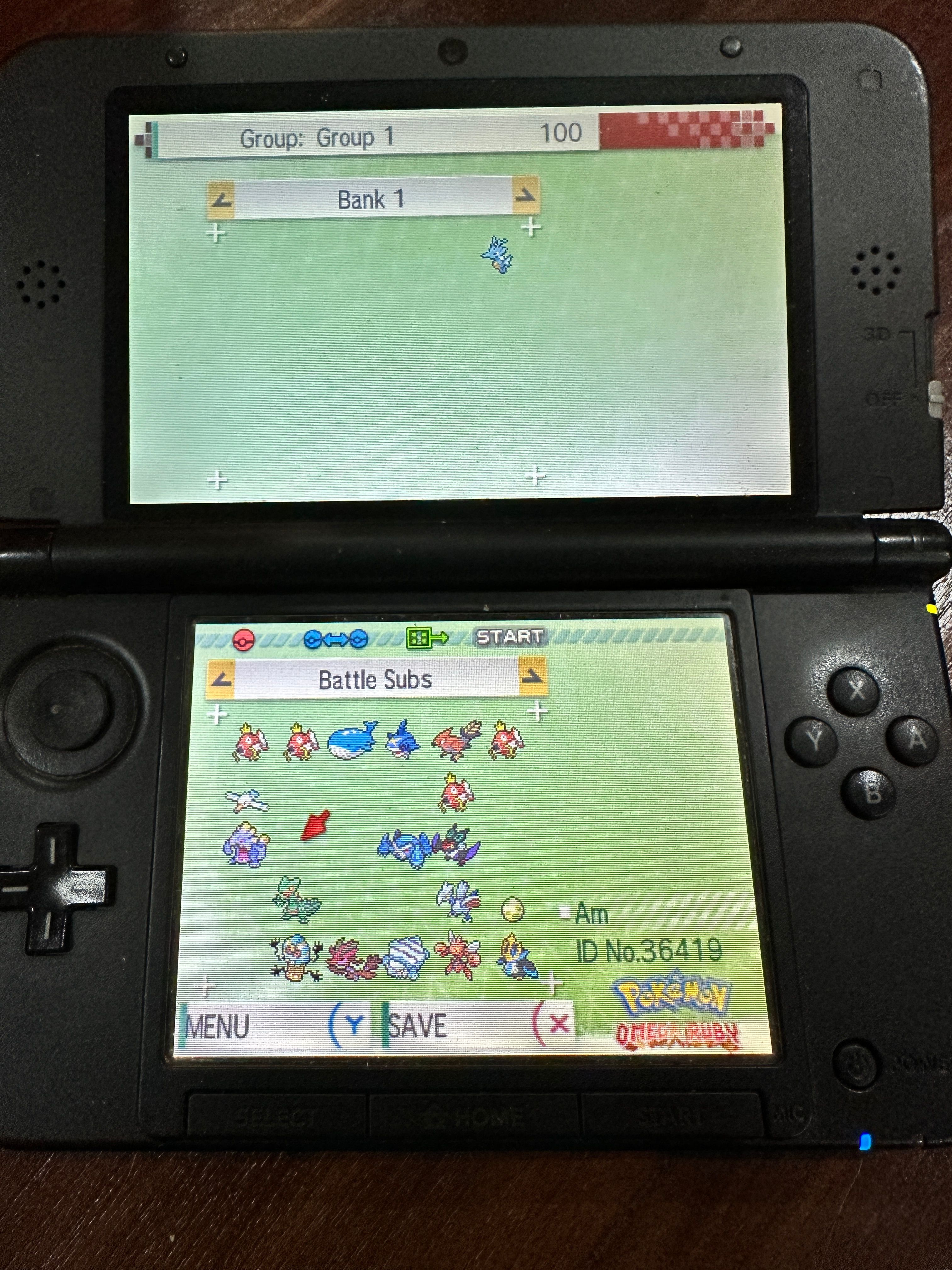
For this process, the trickiest part is getting Pokemon Bank. With the Nintendo 3DS eshop no longer operational, this method only works if you had already downloaded the app previously.
Note that if you already have the app, Pokemon Bank still works. Think of it like having an iphone when the apple store is closed. New people can't get a new one, but service for existing models continues.
Thankfully, Pokemon Bank just requires you to have the gamecards for your individual games in your 3DS. From here, you can transfer Pokemon into the Pokemon Bank itself. For simplicity's sake try to put all your transferred Pokemon into the same box.
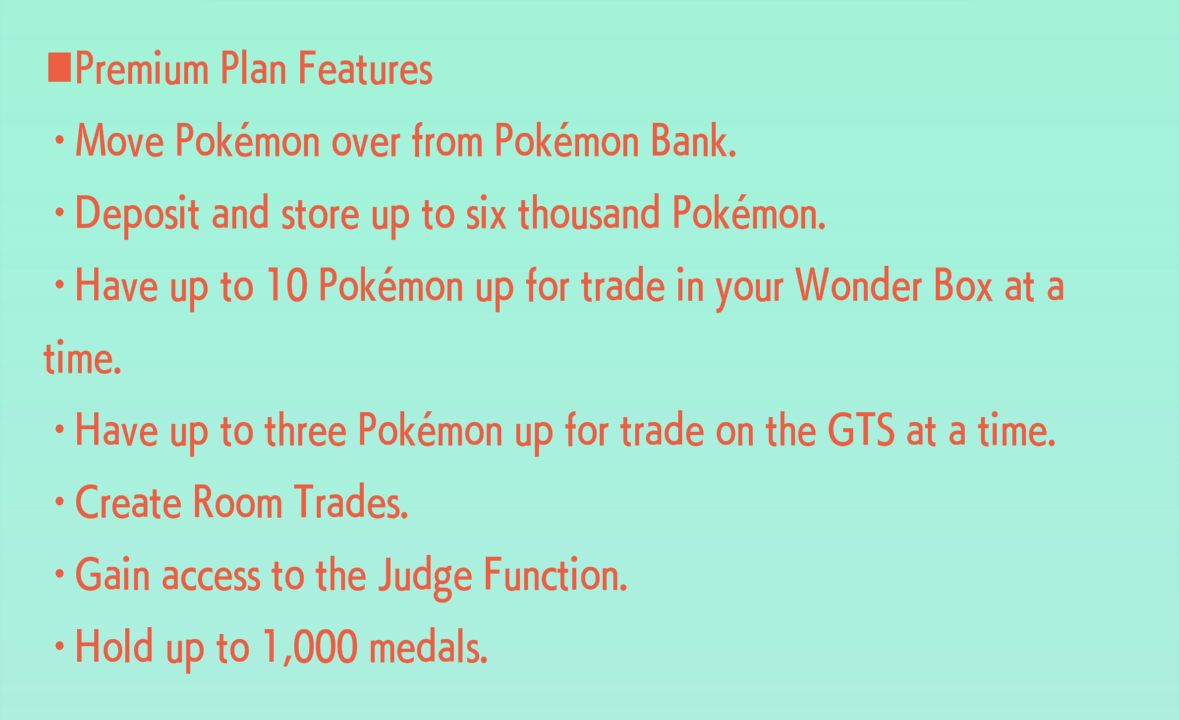
The next step will require you to get a premium subscription to Pokemon Home. While Bank was made free to use, Home is less so- the ability to transfer from Pokemon Bank to Pokemon Home is explicitly locked behind a paywall.
On Pokemon Bank, you'll have an option in the main menu to move to Pokemon Home- click this and select the box you want to move and continue the process in Pokemon Home.
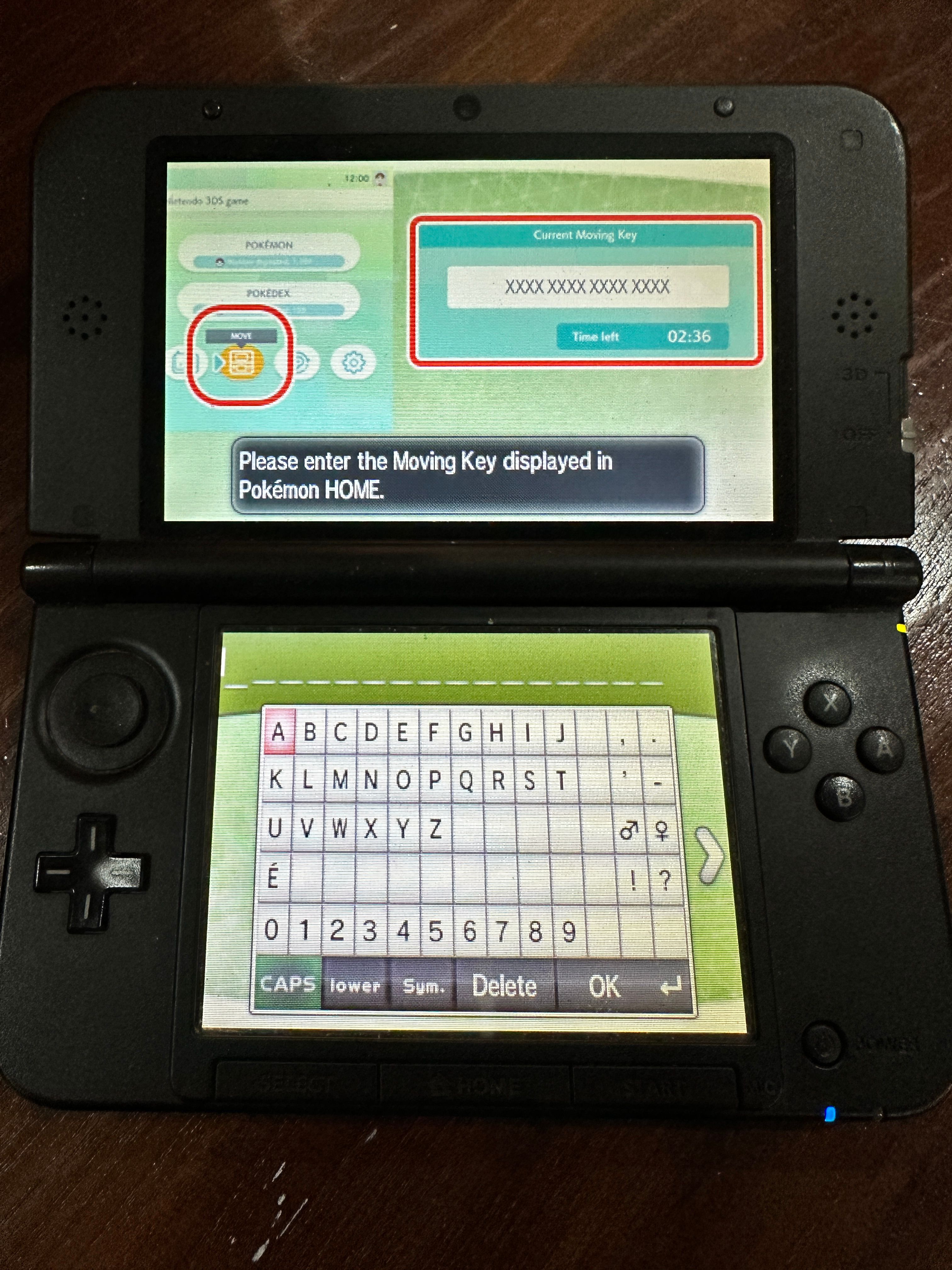
From here, go to Options> Move Pokemon on Pokemon Bank . This generates a Moving Code- one that you'll have to key into Pokemon Bank to complete the process.
Key in the code (you only have three minutes to do so) and then wait a minute! Your Pokemon will be moved from Pokemon Bank to Pokemon Home.
Note that Pokemon who cross the console rubicon can't go back. If you're still actively playing games like Pokemon Omega Ruby or Pokemon Sun, don't send any Pokemon you aren't going to want to use again later.